FREE RESOURCE · FROM THE "EDIT" REEL
How to edit videos with Claude Code: the 10-step setup (free guide + prompt)
By Hammad Yousuf · 7 November 2026
Record one take, get a finished reel. This is the setup behind my reels: Claude Code runs the edit, open-source tools do the cutting and rendering, and a skill file remembers every note you give.
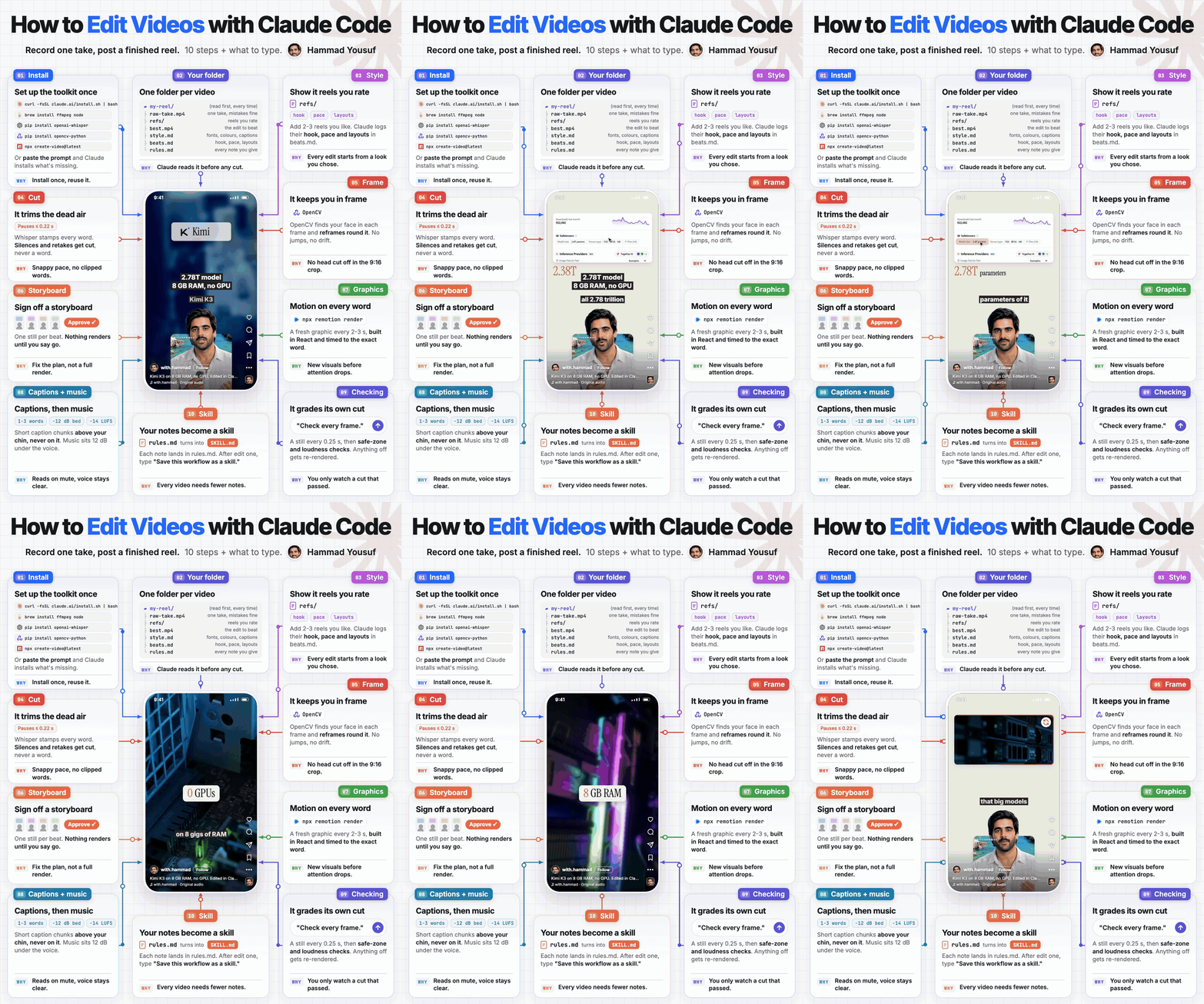
The 10 steps to edit videos with Claude Code
Install the tools once
terminal · install oncecurl -fsSL https://claude.ai/install.sh | bash # Claude Code brew install ffmpeg node # Homebrew from brew.sh first pip3 install openai-whisper opencv-python # word timings + face tracking npx create-video@latest # a Remotion project for the graphicsOr paste the full Claude Code video edit prompt and Claude checks each tool and installs what is missing.
One folder per video
folder · one per videomy-reel/ raw-take.mp4 one take, slips are fine refs/ 2-5 reels that beat your usual views best.mp4 the edit to beat style.md fonts, colours, caption look beats.md hooks, pace, layouts (Claude writes it) rules.md every note you give, kept as a ruleClaude reads style.md, beats.md and rules.md before it cuts a frame.
Show it reels you rate
Drop 2-3 reels you like into refs/. Claude samples a frame a second, reads the transcript and writes their hook, pace and layouts into beats.md, so every edit starts from a look you chose.
It trims the dead air
Whisper stamps every word. Pauses are cut to about 0.22 s after a sentence and 0.12 s inside one, and nothing is cut inside a word.
It keeps you in frame
OpenCV finds your face in each frame and reframes the shot round it for 9:16, with no jumps or drift.
Sign off a storyboard first
One still per beat. Nothing renders until you say go, so you fix the plan instead of a finished export.
Motion on every word
A new graphic every 2-3 seconds, built in React with Remotion (
npx remotion render) and timed to the exact spoken word.Captions, then music
Short 1-3 word caption chunks above your chin, a music bed about 12 dB under the voice, and the master at -14 LUFS.
It grades its own cut
"Check every frame." Claude makes a contact sheet every 0.25 s, checks the safe zones and loudness, and re-renders anything that is off. You only watch a cut that passed.
Your notes become a skill
Every note lands in rules.md. After your first edit, type: "Save this workflow as a skill." Claude Code saves it to
.claude/skills/edit-reel/SKILL.md. From then on: "Use my edit skill on this new take." The full versions of both prompts are below.
The prompts
Paste them into Claude Code from your video folder.
Turn the setup into a skill
Save this workflow as a skill in .claude/skills/edit-reel/SKILL.md. Include the folder layout, the trim caps, the storyboard gate, the checks and every rule in rules.md.Every video after
Use my edit-reel skill on raw-take.mp4. Show me the cut list and a storyboard before you render anything.Honest catches
- Claude Code needs a paid Claude plan; everything else here is free and open source.
- Remotion is free for individuals and small teams; bigger companies need a licence (remotion.dev/license).
- Whisper runs locally; on an older Mac use the "base" model for speed.
Official links
Sources checked
- Claude Code native install command: curl -fsSL https://claude.ai/install.sh | bash. Source ↗
- Claude Code loads skills from .claude/skills/<name>/SKILL.md. Source ↗
- openai-whisper gives word-level timestamps (word_timestamps=True). Source ↗
- npx create-video@latest scaffolds a Remotion project; npx remotion render renders it. Source ↗
- Remotion is free for individuals and small companies; larger companies need a company licence. Source ↗
Trim caps 0.22 s after a sentence / 0.12 s inside one, -14 LUFS master, ~12 dB music bed: from the pipeline that edits these reels (its trim step and house rules).
About the video: the reel is a motion-graphics tour of the 10-step board, and the reel playing in its phone is presented by an AI avatar of Hammad Yousuf, edited with this setup.
Keep going
- Read the full write-up: How to edit videos with Claude Code: the 10-step setup behind my reels
- The Claude Code video edit prompt (copy-paste) + the 7 installs
- Claude motion graphics: the style file, the brief and 16 scene lines
- All free resources from the reels
- More free prompts from my reels
- Follow @withhammad.ai on Instagram for the next one
- Subscribe to @with.hammad on YouTube